
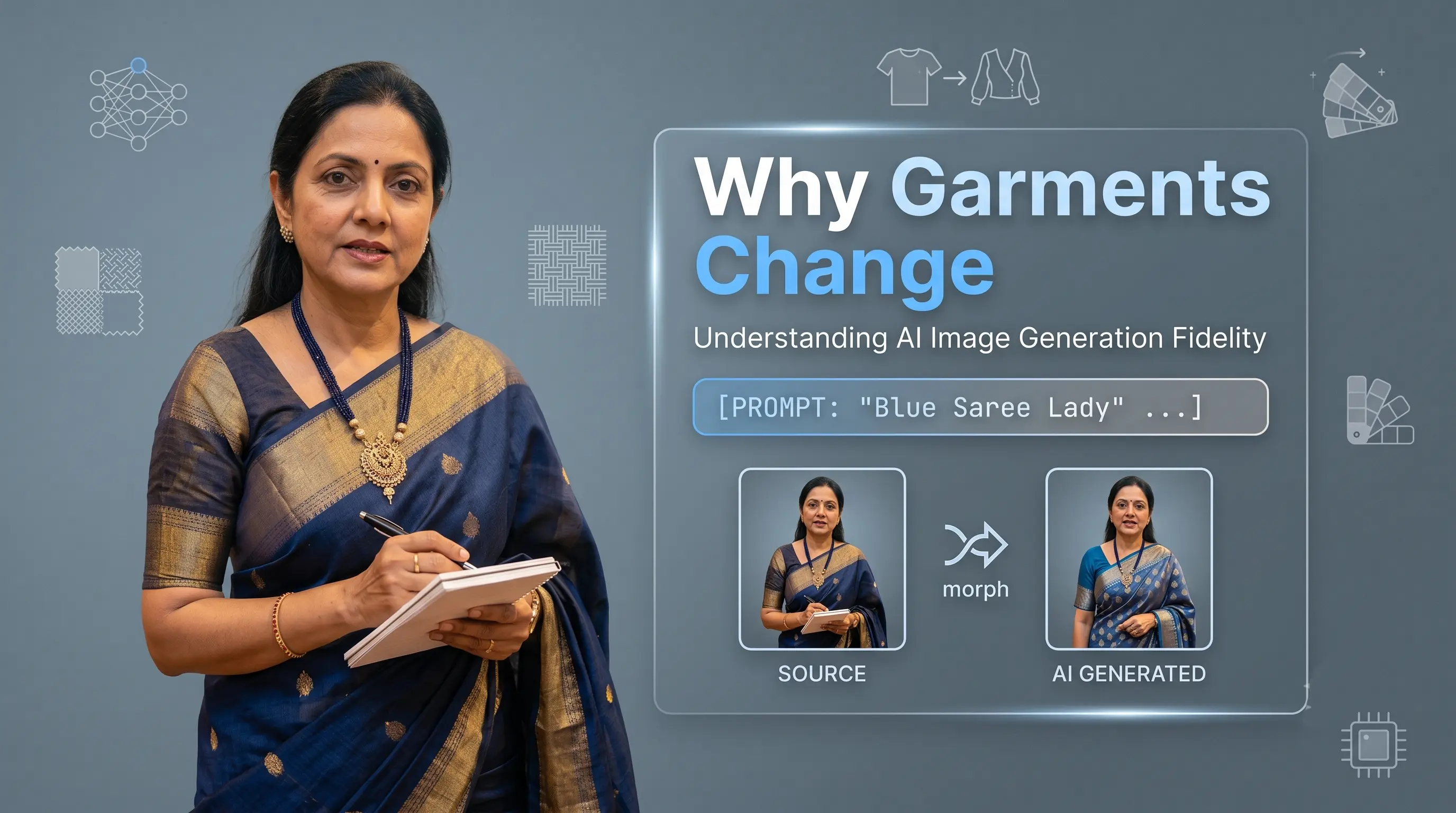
The generated image may look impressive at first glance. The model looks good, the background looks expensive and the lighting appears perfect. Then you look at the actual garment.
AI does not simply copy your garment and place it on a model. It studies the reference image and recreates the entire scene from scratch.
If your input does not clearly show the garment’s pattern, silhouette, borders or construction, the AI fills in the missing information based on what it has commonly seen before. Better input images, focused prompts, simpler backgrounds and additional reference views can significantly improve garment accuracy.
What Does the Problem Look Like?
Common alignment and garment accuracy problems include:
- The saree border is wider, narrower or completely different.
- The print is only partially reproduced or scrambled.
- Small embroidery, motifs or design details are missing.
- Sleeves become longer, shorter, or change style.
- The kurta, dress or blouse length changes unexpectedly.
- The garment looks correct from the front but turns into its distant cousin in the back pose.
These differences matter when you are using images for Instagram, advertisements or product catalogues. A beautiful image may attract attention, but it should still represent the product you are actually selling.
Why Does This Happen?
1. The input image does not show enough detail
AI can only understand what it can see. If a sleeve is folded, the hem is cropped or part of the garment is hidden behind another object, the model has to guess. Before blaming the AI, check whether the incorrect detail was clearly visible in the original image.
2. There is not enough visible pattern
Irregular prints and non-repeating motifs are harder to reproduce than simple, repeating patterns. For example, if only a small section of a large floral print is visible, the AI may extend it incorrectly across the garment.
3. The garment has an unusual or statement design
AI models are very good at recognizing familiar garments like standard sarees, kurtas, dresses and shirts. The challenge begins when your garment has an asymmetric border, unusual sleeve construction, or an experimental drape. When information is unclear, AI often moves towards a familiar design.
4. Poses reveal information that was never provided
A front-facing image does not contain complete information about the back. When asked to generate a back pose, the AI must invent details such as the back neckline, closure, or print placement.
How to Improve the Result (Practical Action Guide)
Photograph the complete garment with minimal folds and obstruction. Make sure sleeves, neckline, hem, borders and overall silhouette are clearly visible.
For irregular prints, embroidery or borders, provide a view where the design is clearly visible across a larger area. Close-up images help when an important detail is too small.
Explicitly describe elements that must remain unchanged (e.g. "Preserve the short puff sleeves, ankle-length silhouette, and narrow gold border").
A complex background demands model generation capacity for furniture and props. Start with a clean studio or uncluttered background when garment accuracy is the priority.
Provide front, back, and detail views whenever possible. Asking AI to create a back view from only a front photograph requires guessing.
What Does AI Still Get Wrong?
AI-generated images are not completely accurate copies of the input. Most models use supplied information to regenerate the image from scratch. Very fine patterns, embroidery, text, stitching and small motifs may therefore change or disappear.
Certain materials are also consistently difficult. Sequins, zari, silk, satin, sheer fabrics and reflective embellishments interact with light in complex ways.
How Drape Studio Handles It
Drape Studio’s workflow is designed around the garment details that commonly change during AI generation:
We study garment inputs to identify intricate visual details, border alignment, and silhouette boundaries.
Inputs are preprocessed so that sleeve shapes, borders, and prints are clear for AI interpretation.
The image is produced with specific regional guidance for garment fit, model lighting, and drape.
Outputs are inspected for silhouette shifts, altered lengths, or missing border details.
Any minor inconsistencies are refined before final delivery to ensure sale-ready quality.
"The goal is not just to create a beautiful garment image. It is to create a beautiful image of YOUR garment."